


A purchasing manager receives a PDF labelled “tax invoice” and another attachment that nobody opens. The month-end folder keeps the PDF, while the email and the other file disappear during a mailbox clean-up. When an accountant asks how the electronic invoice was issued and verified, the team can show a readable document but cannot reconstruct its history. Ahead of the November VAT filing, it is worth testing exactly what your Bangkok business receives, what it sends to customers and what it retains as evidence.
Decide which electronic process you are using
Thailand’s Revenue Department publishes ICT standards for electronic tax transactions, covering areas such as data format, electronic signatures, data exchange and retention. Its e-Tax Invoice & e-Receipt portal provides access to the relevant systems and guidance. Those sources are a better starting point than assuming that every PDF created by billing software has the same status. A scanned paper invoice, an electronic invoice issued through an approved process and a commercial copy sent for convenience play different roles.
Ask the issuing supplier to identify its process and to explain which files and verification information the customer should receive. Keep both the original electronic material and a readable representation where relevant. Assign someone in accounts payable to test that the retained record can actually be opened and checked. Forwarding the email to the accountant is useful, but an individual inbox is a poor permanent filing system, especially when employees leave or storage quotas trigger automatic deletion.
Build an evidence trail around a real purchase
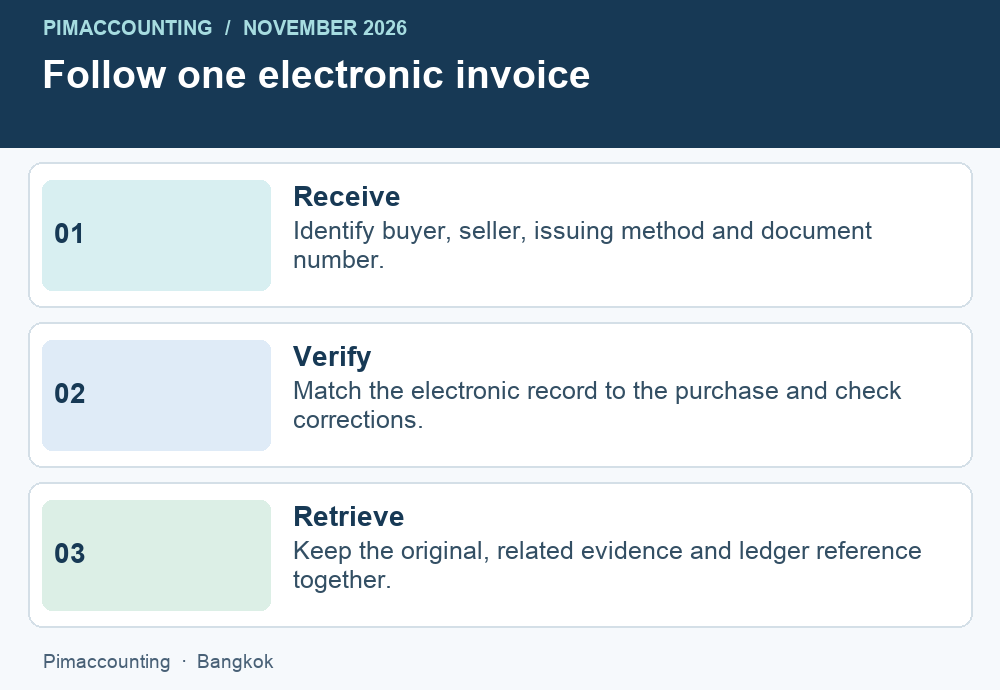
Suppose a Bangkok consultancy buys IT support for THB 40,000 plus separately stated VAT. The purchasing team has the service agreement, the department confirms that the work was done and finance receives a tax document. Record the supplier’s identity, branch, document number, transaction date, amount and tax component against the purchase entry. Link the supporting files to that entry. Check that the purchaser details are the company’s correct legal details, not the director’s name or an affiliated entity.
When the supplier sends a second version with a revised address, keep the first file. Establish whether the supplier has issued a genuine replacement, a correction or simply another copy. Mark the relationship between the documents and ask the accountant which version supports the entry. Recording both as purchases would double the expense. Deleting the first would make it harder to explain why the approved file differs from the document originally supplied to the purchasing team.
Apply a different test when you issue the invoice
For sales, begin with your own customer and branch master data. Check the legal name, tax number, delivery address and authorised billing contact before issuing documents. A trading name on a purchase order can differ from the entity that must appear on the tax invoice. Make the billing team responsible for resolving that mismatch before generating a signed record. Correct master data prevents more errors than asking staff to inspect an overflowing queue at the end of the month.
Run a sample from approved sale through invoice generation, electronic validation where applicable, transmission and customer receipt. Then trace it back to the sales ledger and VAT report. A customer opening a human-readable attachment is useful commercial evidence, but it does not by itself show that every step required for your chosen issuing method occurred. Keep system acknowledgements, timestamps and failures available to the finance team. Someone should be able to explain the status of a document without calling the software vendor.
Prepare for the everyday failures
Test three events before choosing or changing a provider. A customer’s mailbox rejects an invoice. A billing clerk discovers an incorrect branch after issue. An authorised employee leaves the business during a reporting period. For each event, identify who receives the alert, what is preserved and what approval allows the team to continue. Avoid issuing a second numbered invoice merely to resend the first one. A delivery problem and an incorrect tax document require different responses.
A useful recovery exercise is to give a colleague one invoice number and no other clues. Can that person retrieve the original electronic material, supporting sale or purchase, verification evidence and any correction? Can they do it from the company archive after the original employee’s account has been disabled? Record how long the exercise takes. If the answer depends on remembering a filename, organise the archive by stable document and entity identifiers instead. Align retention settings with the rules that apply to the records and your business.
Use existing bookkeeping to catch gaps
At month-end, compare the count and value of issued documents with the sales ledger. Review gaps in number sequences and distinguish cancelled numbers from missing documents. On the purchase side, give unresolved invoices a status and a named owner. The tax reviewer can then decide which items have sufficient support and which need clarification. This workflow helps a business manage legitimate exceptions without blocking payment to every supplier while a single invoice is being corrected.
For a business choosing accounting support in Bangkok, a useful question is whether the provider can demonstrate this trace in both directions. Pimaccounting can help map your current workflow, review a small set of redacted examples and identify the decisions that belong with your software provider or tax reviewer. Explore our bookkeeping services or tell us where your invoice process breaks down. Mention whether you issue documents, receive them, or do both.